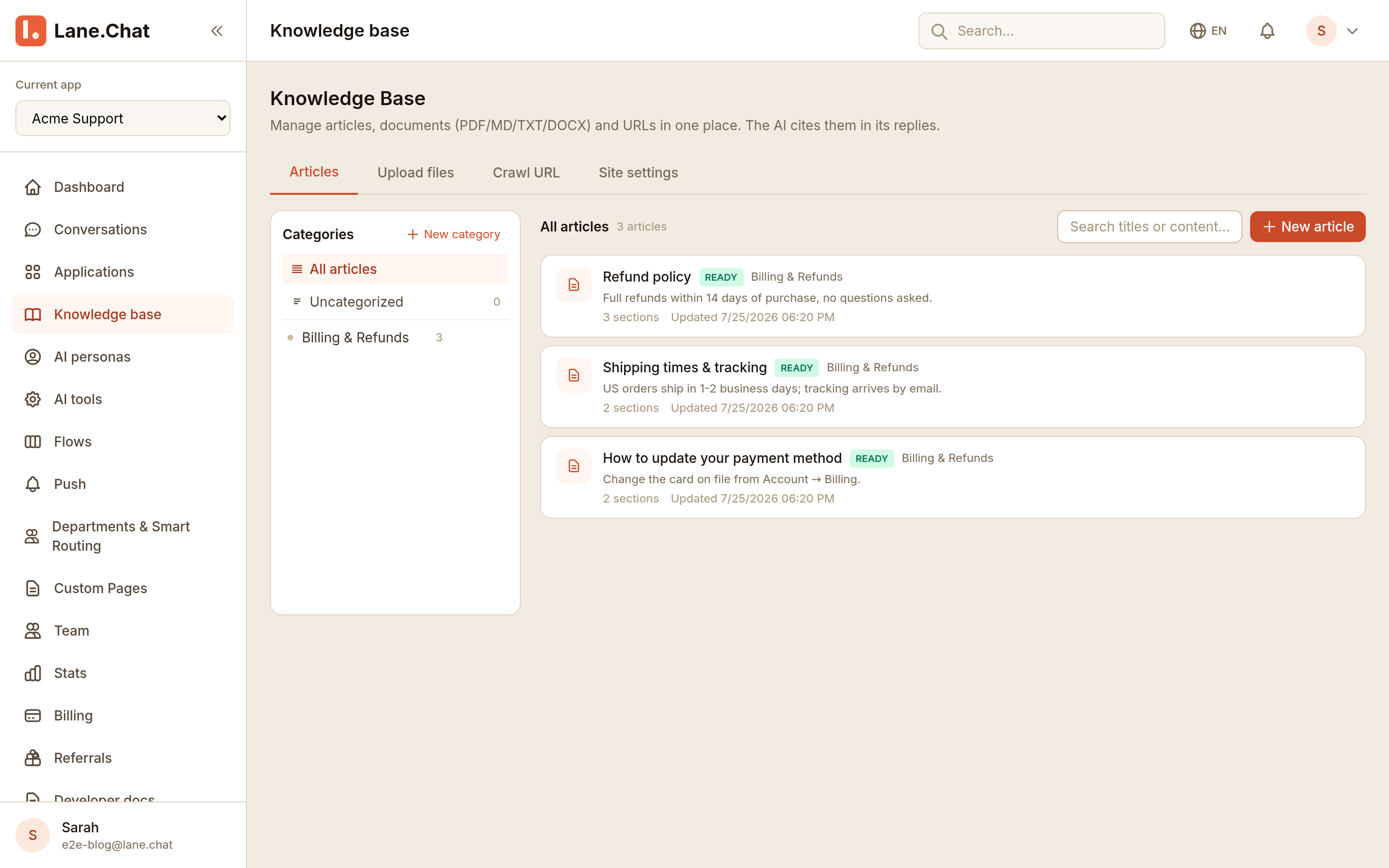
Upload your help docs, paste your FAQ, or point it at your website. Lane.Chat indexes everything and answers customer questions with a citation to the exact page it used. When it can't find the answer, it hands off to a human instead of guessing.
No training runs, no fine-tuning, no ML team. If you can upload a file, you can do this.
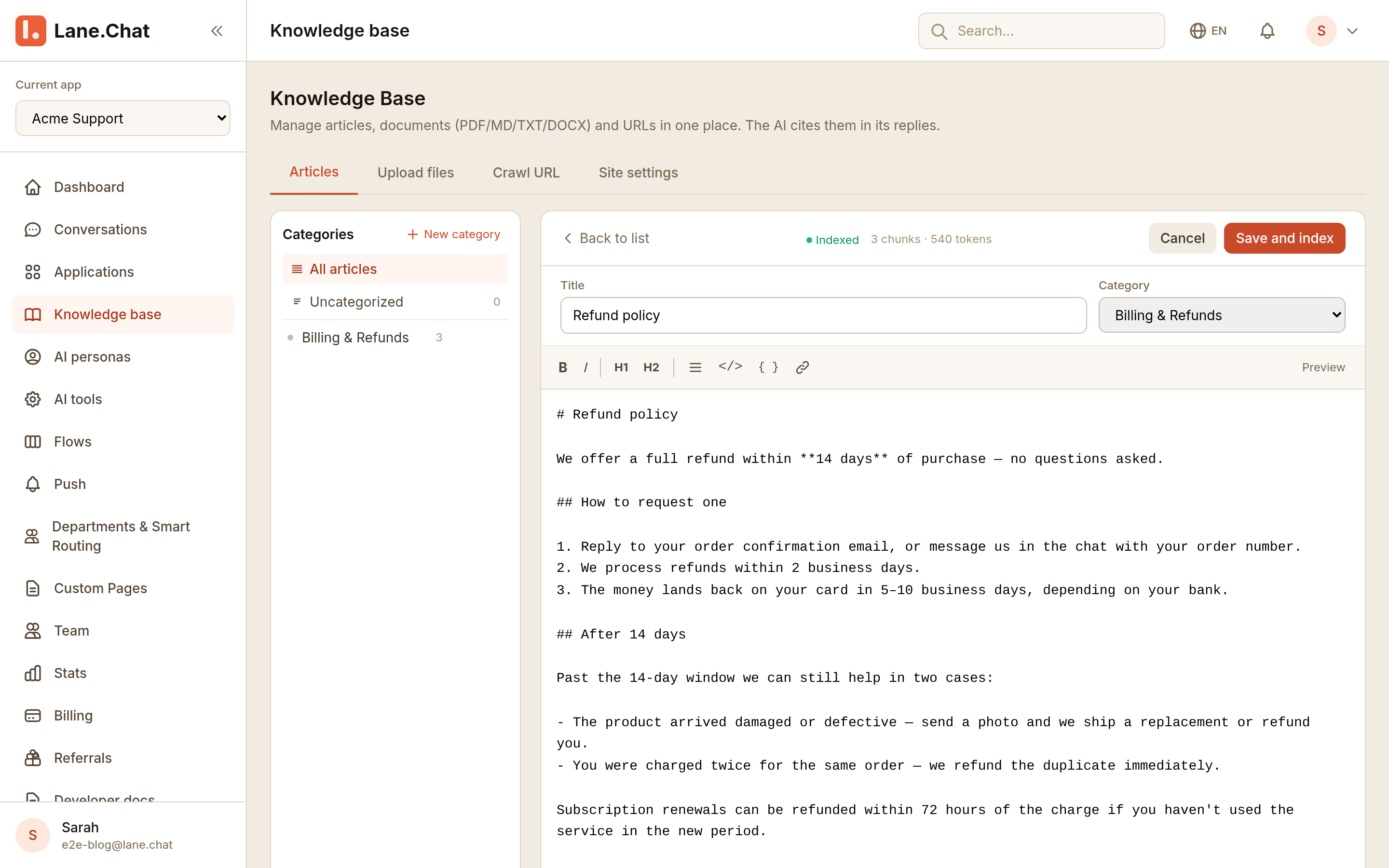
Upload PDFs, Markdown, or DOCX. Paste your FAQ as articles. Or hand it a URL and let the crawler read your site.
Every document is chunked and indexed the moment you hit save. You can see the status per article — chunks, tokens, ready to answer.
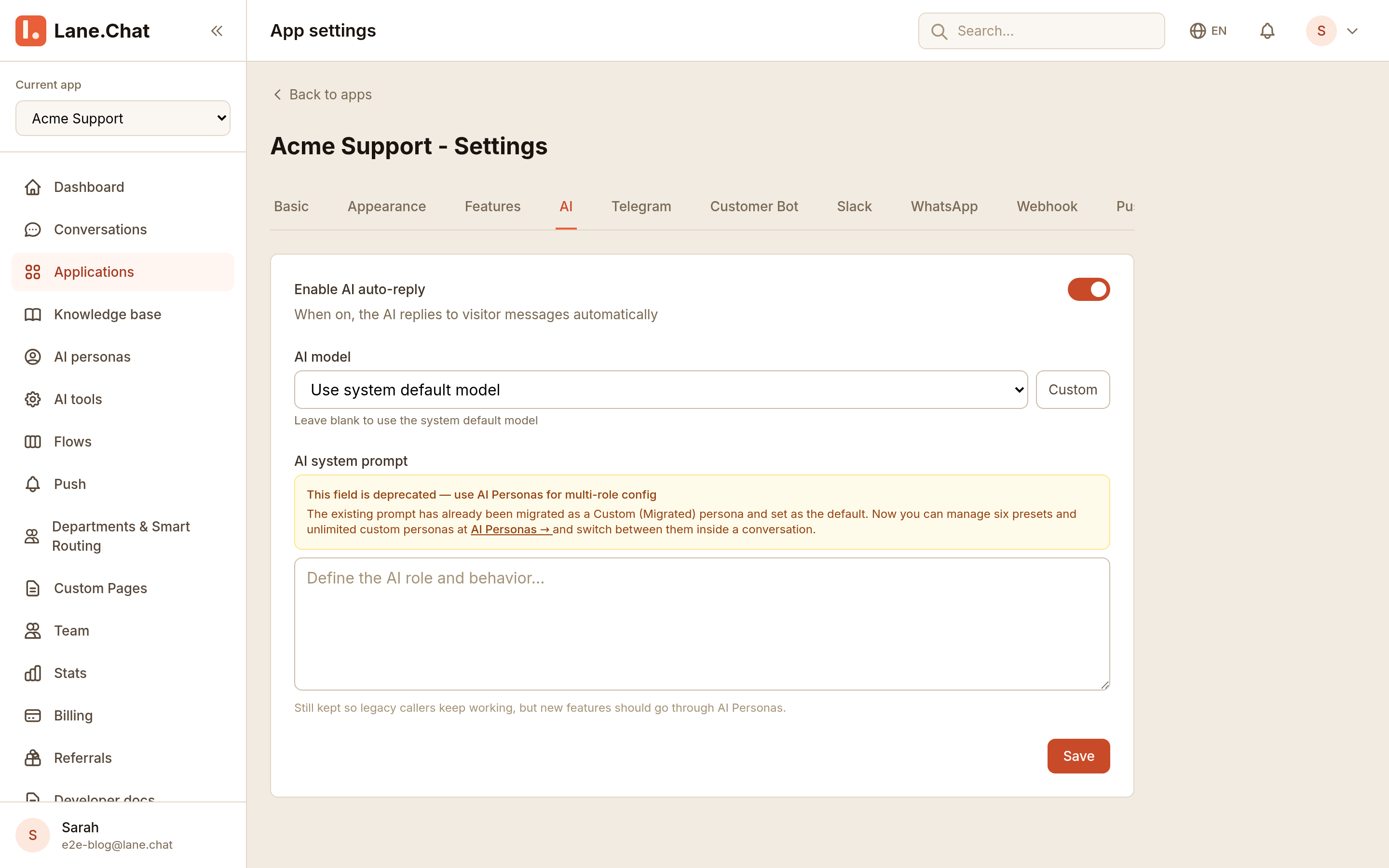
Flip on AI auto-reply and the bot starts answering visitor questions — from your content only, with the source attached to each reply.
Ask something the docs don't cover and the bot says so and pulls in your team — same thread, no dead ends, no "please email support."
Generic AI chatbots answer everything, including things that are not true. Ask one about your refund policy and it produces a confident paragraph — sometimes yours, sometimes an invention. Your customer can't tell the difference, and neither can you until the complaint lands in your inbox.
Lane.Chat answers only from the content you gave it, and pins the source under every reply. Your team can audit any answer in one click; customers can open the policy and read it themselves. And when the docs don't cover a question, the bot says so and brings in a human — that's the whole trick.
Read why AI support needs citations →Same customer question, very different failure modes.
| Generic AI chatbot | Lane.Chat, trained on your data | |
|---|---|---|
| Where answers come from | The model's training data — roughly, the whole internet | Your docs, FAQ, and website. Nothing else. |
| When the answer isn't in the docs | Improvises something plausible-sounding | Says it doesn't know and hands the thread to your team |
| Can you verify an answer? | No — you'd have to guess where it came from | Every reply cites the page it used |
| Updating what it knows | Rewrite prompts, retrain, hope | Edit the article, hit save — reindexed in seconds |
| Setup | Prompt engineering and crossed fingers | Upload files, flip one toggle |
The knowledge base is shared. The same indexed content backs your website widget, your Telegram bot, and whatever you build on the API — update an article once and every channel knows.
Two lines of JavaScript and the chatbot is on your site — trained on your docs, citing its sources, matching your brand.
The same brain answers in Telegram — a real bot with reply threading, not a webhook forwarder bolted on.
Building your own UI? Send a question in, get a cited answer out. Same knowledge base, your front end.