Somebody is on your store right now, weighing a jacket against its shipping cost, and the chat launcher is sitting in the corner doing nothing. Most chat setups are pure reaction: the visitor must find the button, click it, and type before anything human happens. Lane.Chat gives you two ways to move first — a teaser bubble that appears next to the launcher before the panel ever opens, and a first-visit welcome that greets people the moment they do open it. Both live in Flows, and both take about ten minutes.
They solve different halves of the problem, and the difference matters:
- The teaser is not a chat message. It's a nudge pinned next to the launcher; the product's own hint text puts it best: "A nudge bubble shown before the panel opens. Not a chat message — it is never stored in the transcript." Its job is to earn the click.
- The welcome message is a real message, first in the thread, waiting when the panel opens. Its job is to make the empty chat window not feel empty.
The welcome first: it's the simpler one
Open Flows in the left nav. The flow doing this job in our demo app is called First-visit welcome, and its canvas is as small as flows get: Start → Welcome message → End, where the middle node is a plain Send message; ours reads "Hi! Welcome — I'm here to help with anything."
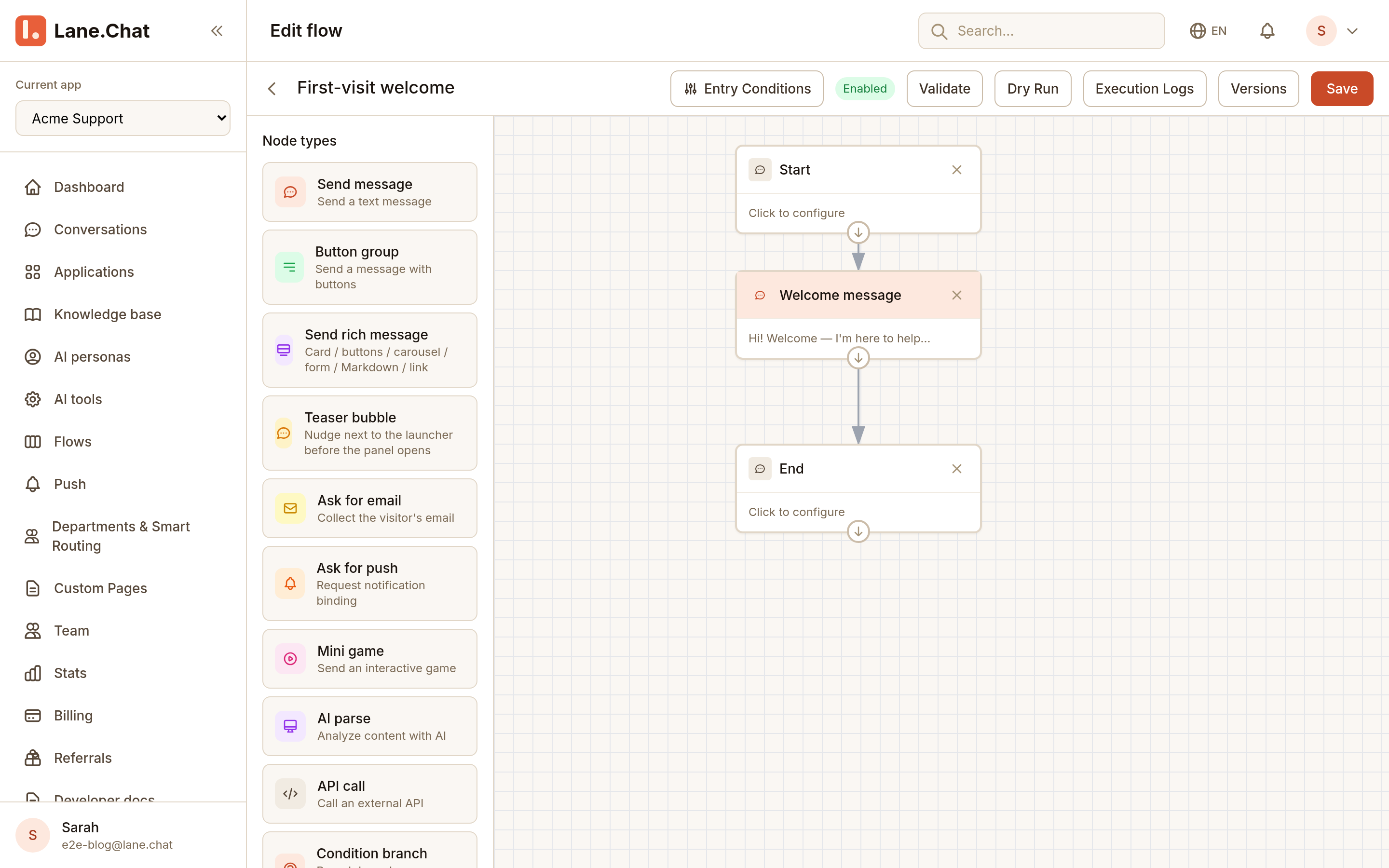
The editor around it is worth a glance while you're here: Entry Conditions sets when a flow fires, Validate and Dry Run check your wiring, Execution Logs and Versions cover the paper trail. The node palette on the left lists what flows can do: send messages, button groups, rich cards, collect emails, call APIs, branch on conditions. And a few items down sits Teaser bubble, introduced right in the palette as "Nudge next to the launcher before the panel opens."
The teaser flow
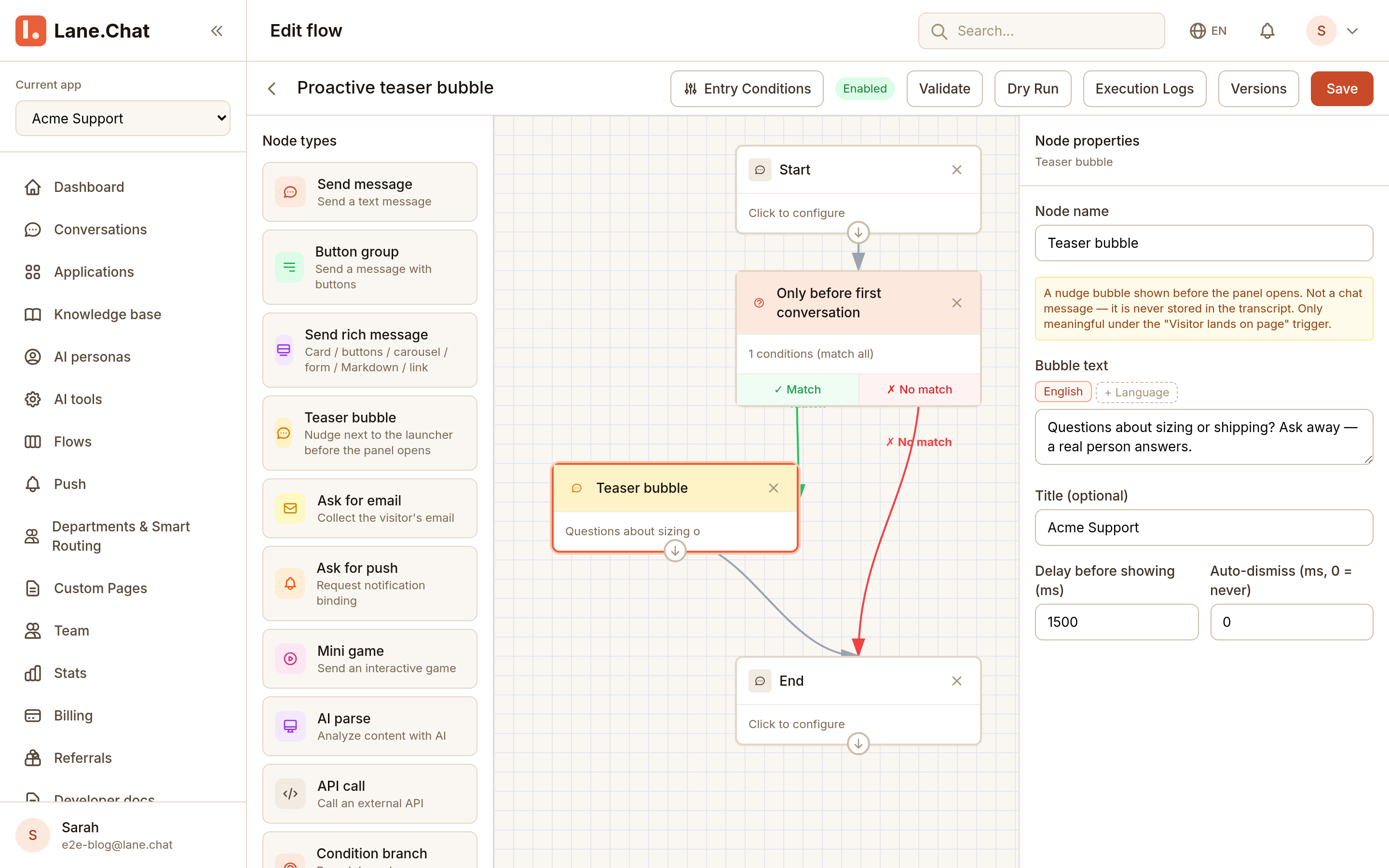
Our second flow, Proactive teaser bubble, has one more moving part: Start → a condition node → Teaser bubble → End. The condition, "Only before first conversation," checks whether this visitor has ever had a conversation: the Match branch goes on to show the teaser, No match goes straight to End. That one node is the difference between a helpful nudge and a widget that greets your regulars like strangers every single day.
Click the Teaser bubble node and the properties panel opens on the right:
- Bubble text — with language tabs (English, plus a "+ Language" button for more; visitors get their own language when you've written it). Ours: "Questions about sizing or shipping? Ask away — a real person answers."
- Title (optional) — shows bold above the text. We used "Acme Support".
- Delay before showing (ms) — we set 1500. Instant feels like an ambush; a moment's pause reads as "noticed you," not "trapped you."
- Auto-dismiss (ms, 0 = never) — 0 keeps it up until the visitor closes it or opens the chat.
The trigger detail everyone gets wrong
A teaser has to fire while the panel is still closed; that's its entire reason to exist. Which means the flow must hang on the trigger that fires when the visitor lands on the page: it goes off the moment the widget loads and connects, before anyone clicks anything. Pick the first-visit trigger instead and your flow waits politely for the visitor to open the panel — at which point a teaser is a solution to a problem that no longer exists. You choose the trigger in the Entry Conditions dialog; it's a three-level cascade: scene, then event, then the event's options.
The node's own hint says the same thing in fewer words: the teaser is "only meaningful under the 'Visitor lands on page' trigger."
What the visitor sees
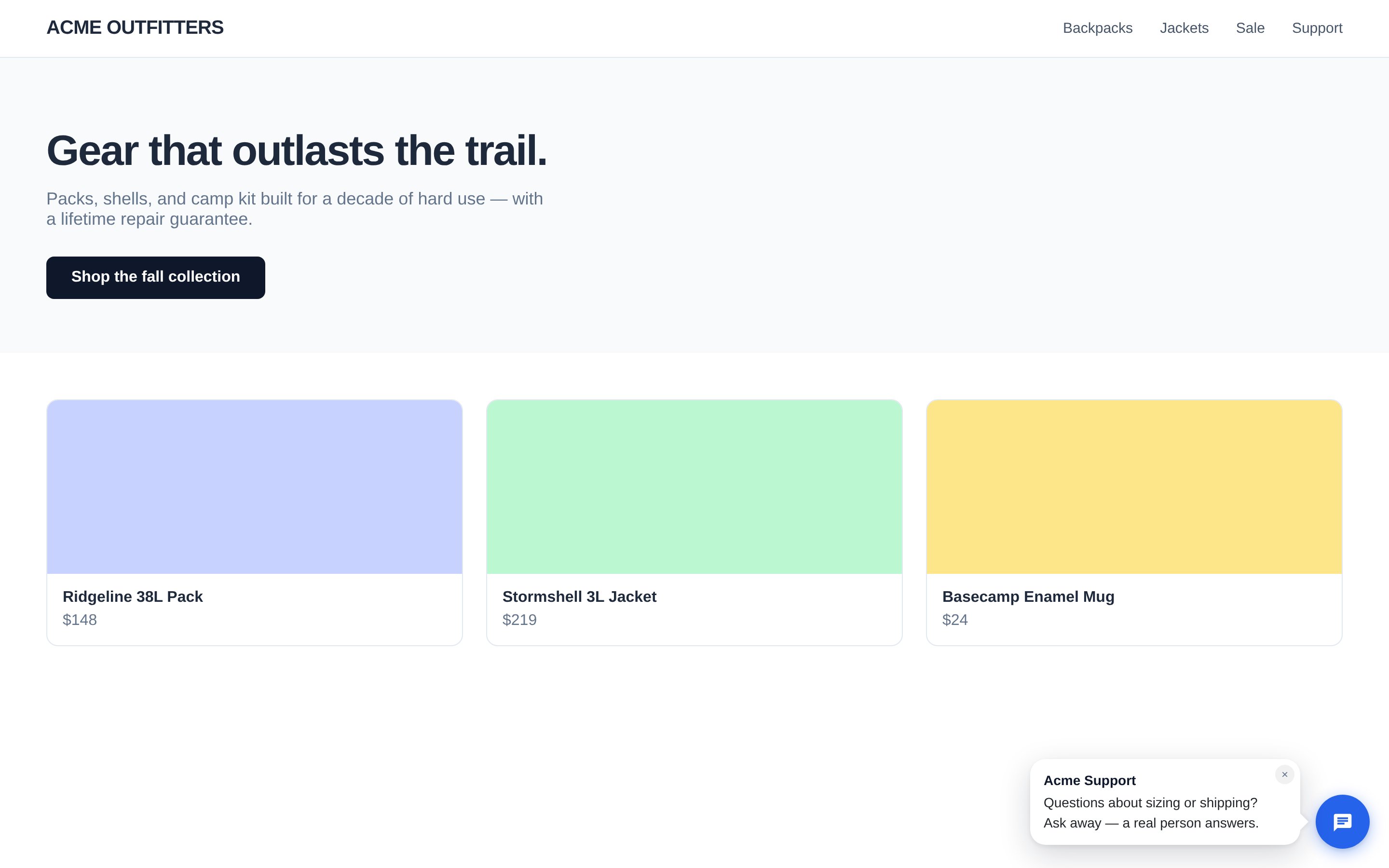
Save the flow (the Enabled badge in the top bar tells you it's armed), then go be a brand-new visitor: open the store page and touch nothing. A beat and a half later, a bubble surfaces next to the launcher: bold "Acme Support," the text below it, and a small × in the corner for visitors who'd rather browse in peace.
Two behaviors to know before you test, because they will otherwise convince you it's broken:
- Once per browser session. Delivery is read-once: a visitor who saw the teaser (or refreshed past it) won't see it again by hitting reload. Test in a private window, or as a genuinely new visitor, every time.
- Inline embeds don't get teasers. The bubble is anchored to the floating launcher; if you embed the chat inline in the page, there's no launcher to nudge from.
Writing a teaser that earns its click
The bubble buys you maybe a dozen words of the visitor's attention. Spend them on specifics:
- Name the actual hesitation. "Questions about sizing or shipping?" beats "How can we help?" because it's the question the visitor was already chewing on.
- Say a person answers, if one does. "A real person answers" is doing heavy lifting in our example; it preempts the "I'll just get a bot" shrug.
- Skip the discount bribe unless you mean it. A teaser that promises "10% off if you chat!" turns your support channel into a coupon dispenser.
And resist the urge to show it everywhere to everyone. The condition node exists so the teaser stays what it should be: a first hello, not a recurring interruption. First-time visitor sees a nudge, opens the panel, finds the welcome already waiting. The whole sequence feels less like automation and more like a shopkeeper looking up from the counter at the right moment.